View subtitles in selected language
The instructor's Korean explanation is converted to text and displayed in the student's selected language. It is configured to support English, Chinese, Vietnamese, Japanese, Burmese, and Russian.
This is a translation of the Korean article. Original application screens, image labels and demonstration audio are retained in their original languages.
customized education platform built with GPT Astra
Opening lecture materials, explaining them, answering questions, evaluating assignments, and organizing attendance.
I connected the fragmented flow of classes, which were scattered across different locations, into a single educational platform called 'UPMI Academy' that I developed myself.
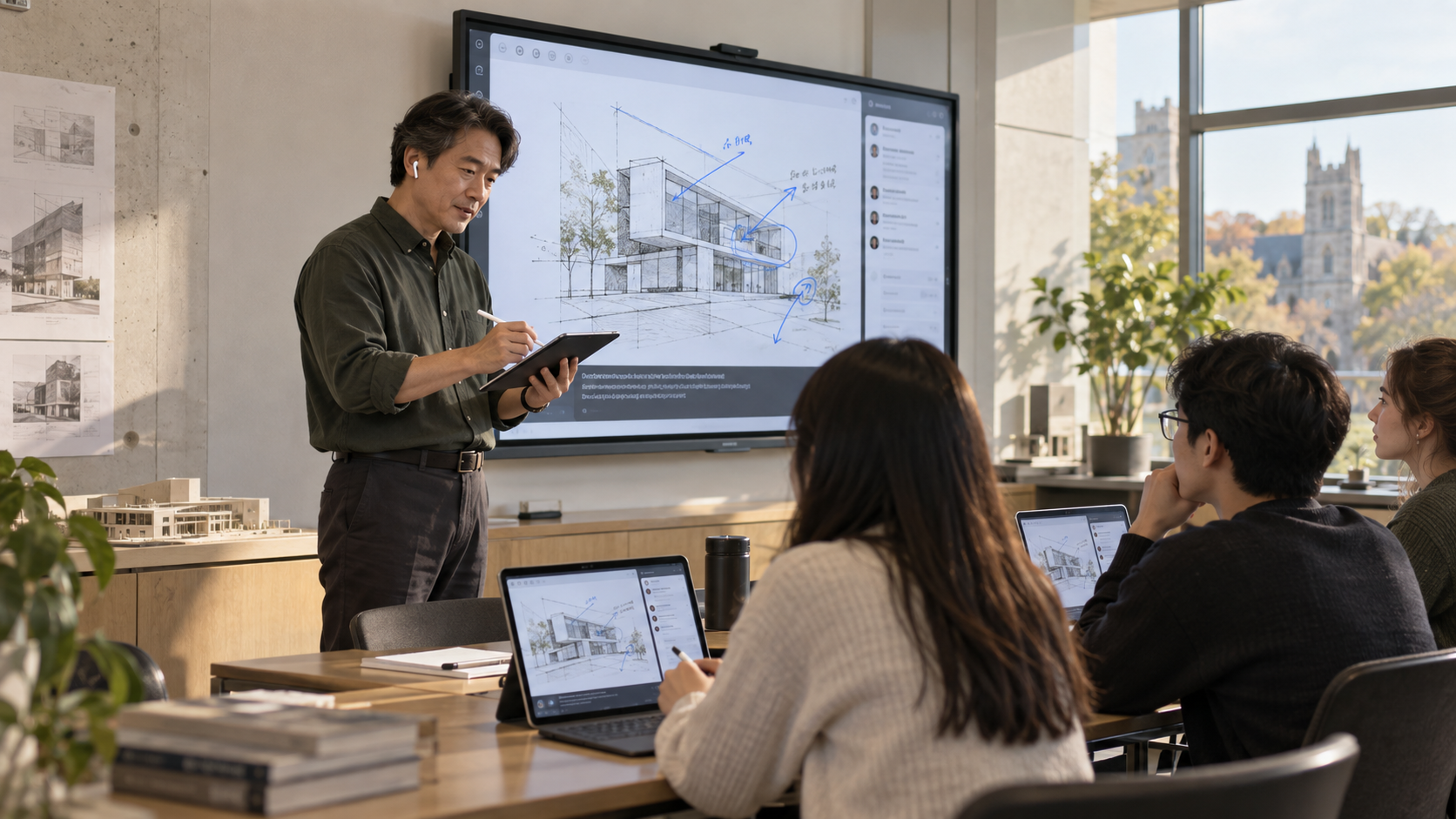
Lecture materials were prepared as files, and quizzes were operated on a separate server. Assignments and school attendance also had to be checked on their respective screens. Between conducting the class, tasks such as transferring materials, comparing results, and re-entering the same information were interspersed.
The same was true for students. When the places for reading materials, solving problems, and submitting assignments are separated, unnecessary effort is required to follow the flow of the class. For foreign students listening to explanations in Korean, a tool to immediately verify missed sentences was also necessary.
What I wanted was clear.An instructor-focused space where instructors could concentrate on explanations and feedback, and students could view materials, ask questions, and solve problems within the same class.I described these requirements to GPT Astra and created UPMI Academy.
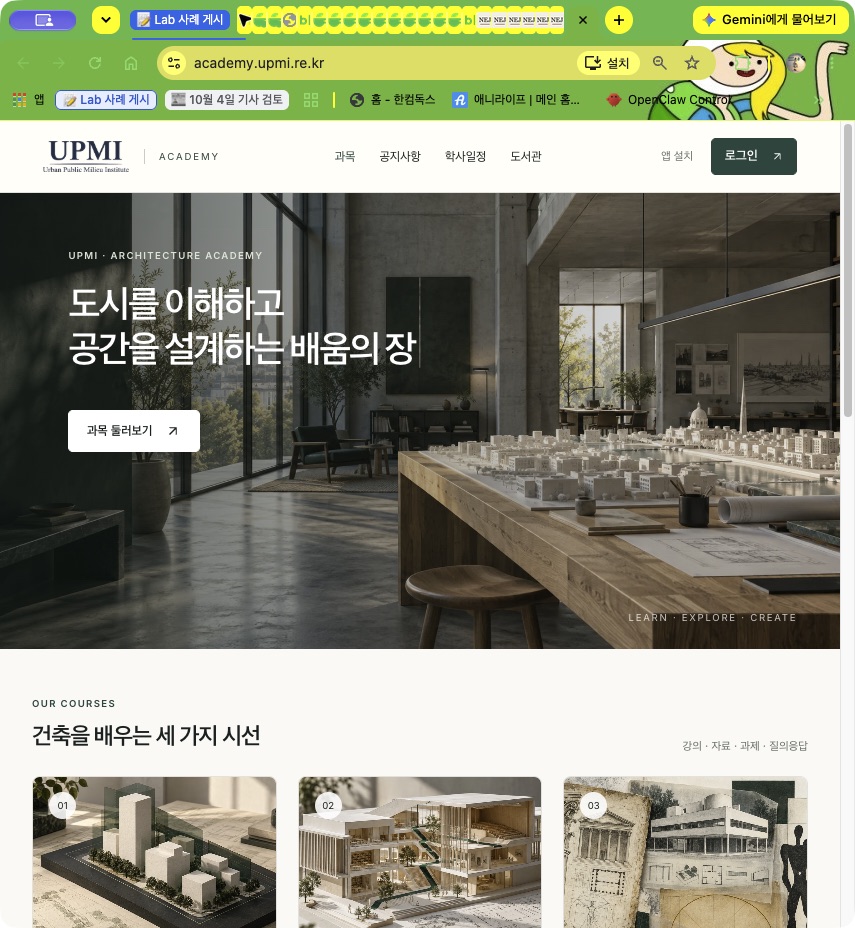
To enable the use of the educational platform developed directly by the instructor in actual classes, I built a system tailored to the roles of instructors and students. When you enter a course from the homepage, the necessary functions for the class follow. While operating Architecture Law, Architecture Planning, and Architectural Space Formulation separately, materials, students, assignments, and exams are connected based on the same course.
I prepare materials and set the scope of disclosure from the instructor screen. Students read materials for the courses they are taking, submit assignments, take exams, and then check their own results.
Students can install the app on the home screen of their phone or tablet and open it with a single tap. By enabling notifications, you will also receive alerts for lecture material registration and updates, assignment changes and submission completions, and deadlines for unsubmitted assignments. Deadline notifications are sent based on 24 hours and 1 hour prior to the deadline. Device notifications can be used when notification permissions are allowed on supported devices.
It is not just a menu gathered in one place.We have also designed who can view what for which subject, and where submitted results lead.
| Class Flow | What the Instructor Does | What Students Do |
|---|---|---|
| Before Class | Upload materials and set visibility, prepare assignments and quizzes, select AI reference materials | Check course materials and announcements, preview using e-books |
| During Class | Slide navigation, board writing, voice explanations, checking student questions | View synchronized slides and subtitles, ask questions to the instructor and AI teaching assistant |
| After Class | Assignment evaluation and feedback, summary review, check exams and attendance | Submit assignments, solve problems, view published evaluations and results |
The video below shows the actual Academy app running in a separate demo environment. The slides clearly change from a blocked ground floor to an open space with columns, and then to a floor plan of pedestrian routes, with thick blue underlines drawn on both screens simultaneously. As the instructor turns the slides and draws underlines, the student screen changes along with it. Students check the English subtitles at the bottom and ask the AI teaching assistant about 'piloti' if they do not understand.
Left: Instructor · Right: Student / Turn on sound to hear the sample lecture and guidance together.
What I wanted from an electronic whiteboard was not just a large screen, but features that make teaching easier: writing on lecture materials, highlighting important parts, viewing the same screen as students, and leaving explanations after class.
So I created a web-based electronic whiteboard. It includes pen and highlighter tools, color and thickness adjustment, stroke eraser, undo, multiple whiteboards, and slide saving. Each slide retains its whiteboard content, allowing you to review what was written when returning to that slide.
You can use an iPad with Apple Pencil for writing and AirPods-like microphones recognized by the browser for voice explanations.Students view the same slides and whiteboard content on their laptops or tablets. In the classroom, you can simply use existing monitors or projectors. Handwriting feel and microphone input vary by device/browser, so check them before class.
I also connected features to change slides via voice or load related building photos. If short commands like 'next' are not recognized well, I adjusted the recognition start point and command processing order. My lecture habits became the improvement standard.
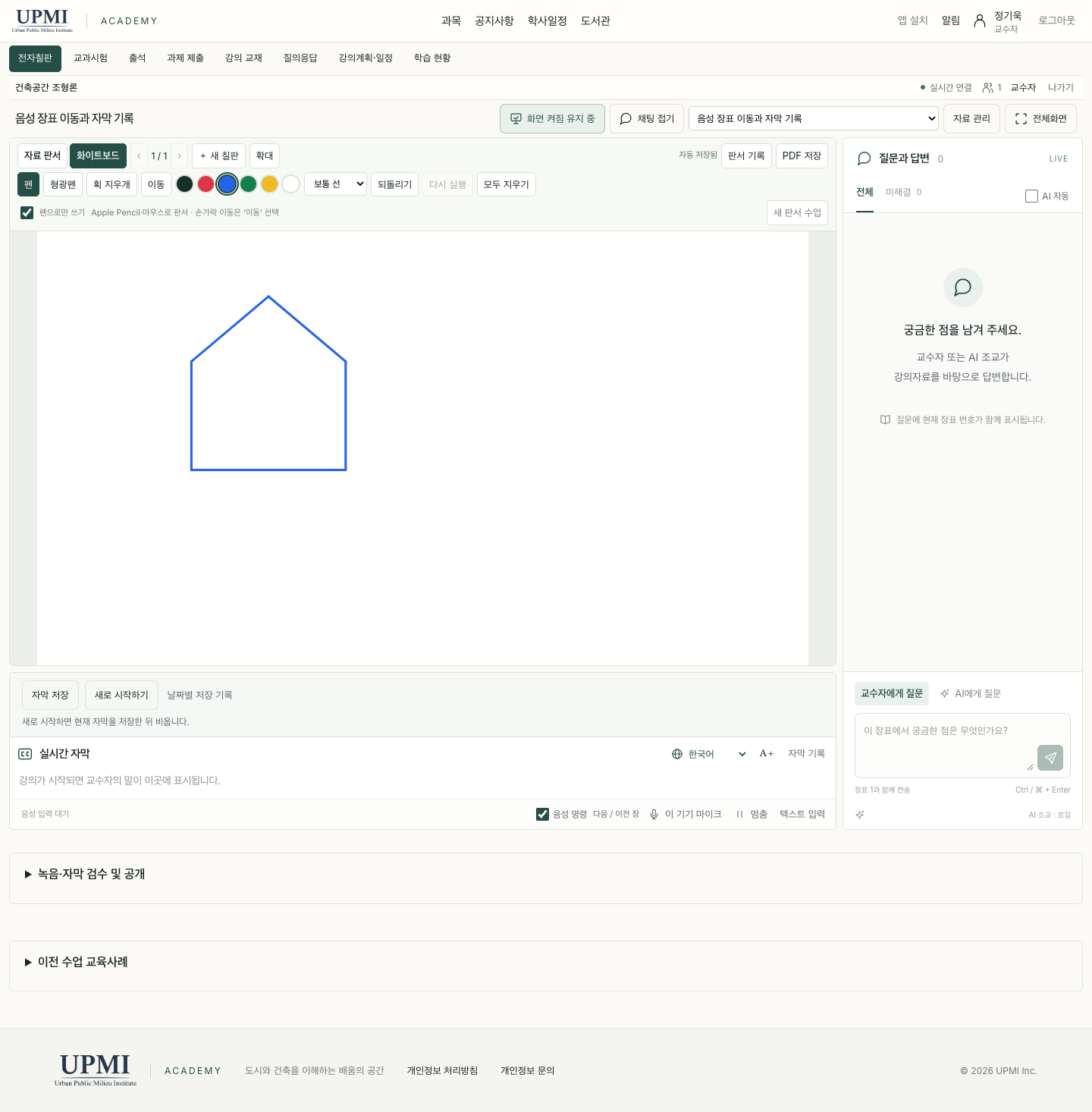
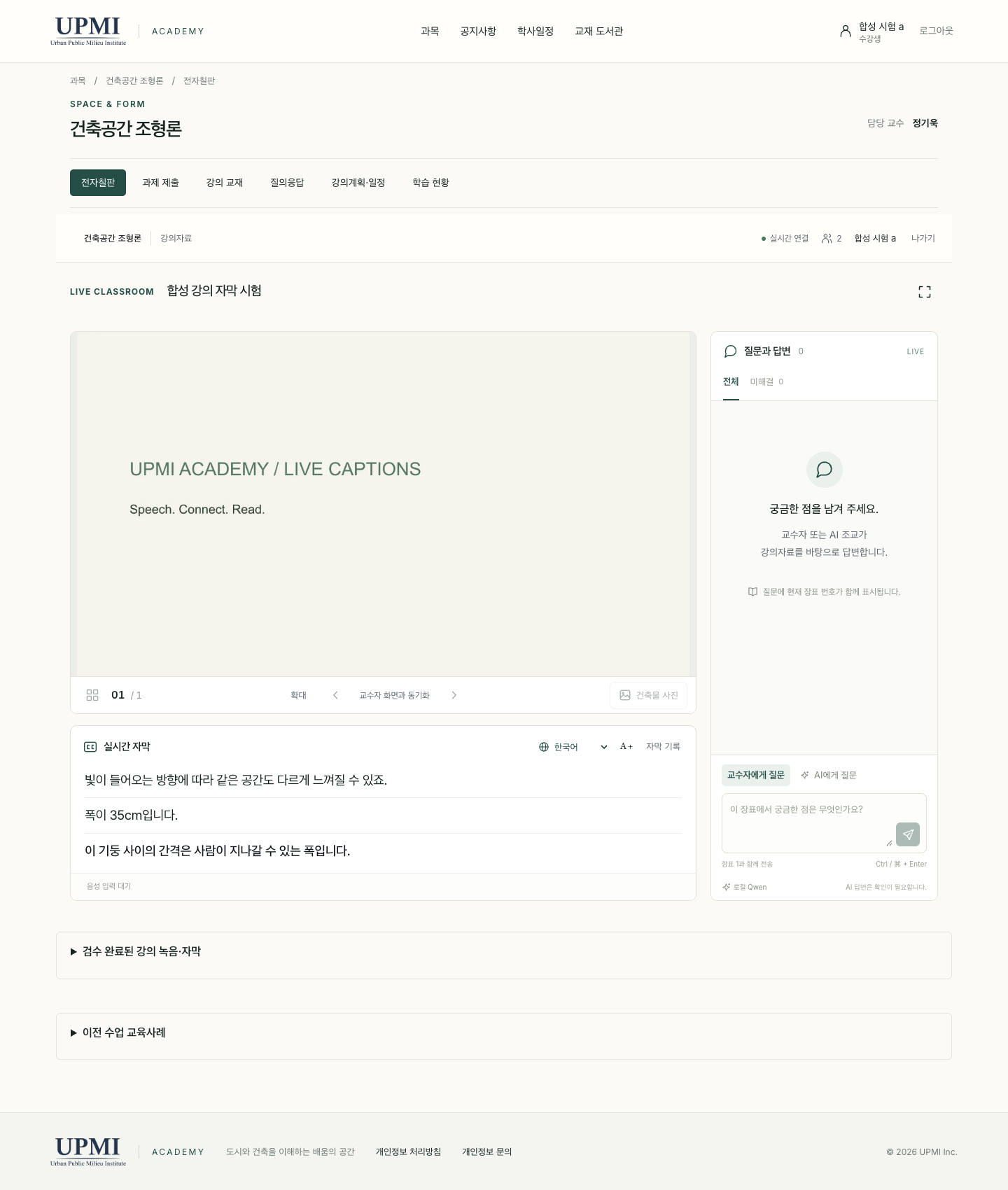
Additional purchase cost for an electronic whiteboard: KRW 0.This means no new dedicated electronic whiteboard was purchased by utilizing existing devices and servers. It does not mean that AI usage fees, server operating costs, or time spent on management are all free.
I directly implemented the workflow necessary for my class among Samsung's introduced features such as whiteboard writing, screen sharing, voice transcription, and summarization. This is not a comparison claiming identical hardware performance or all commercial features.Samsung official feature guide ↗
The instructor's Korean explanation is converted to text and displayed in the student's selected language. It is configured to support English, Chinese, Vietnamese, Japanese, Burmese, and Russian.
Leave a question linked to the current slide. The AI teaching assistant finds answers based on lecture materials and reference books set by the instructor, providing sources together.
Based on actual lecture subtitles, I create slide-by-slide summaries and review notes. I compare them with the original text, make corrections, review, export them, and organize them as follow-up materials.
Check subtitles → Ask the AI teaching assistant → Review lecture summary / Please play in full screen to view the screen larger.
When listening to Korean explanations, it is difficult for all students to immediately raise their hands when they encounter unfamiliar concepts. If you can re-read what was just heard via subtitles, briefly ask the AI teaching assistant, and then return to the class, an additional method of keeping up becomes available.
The scope of answers was also important. Rather than explaining at length based on any material,I created it so that it answers based on the course materials I selected and states that there is no answer if there is no basis. The summary after class also distinguishes between actual spoken content and supplementary explanations during review. Currently, summaries are in an instructor review/export format and are not automatically distributed to students.
If, after students submit their assignments, I have to go back and forth between other folders and tables to organize grades, having only an upload function is not sufficient. In the academy, we prepared assignments and evaluation criteria, connected them to confirm submitted materials, and enabled the input of grades and feedback.
Students submit files and check their submission status. I view submissions and evaluation criteria in the same flow and evaluate immediately. Draft evaluations are temporarily saved, and after publication, students can view their own evaluations. Submission records are also kept to allow verification of changes.
Here, 'immediate evaluation' means that the instructor can review and provide feedback right away.I did not state that AI automatically grades assignments. I distinguished between evaluating assignments that require judgment and grading quizzes that can be processed automatically based on answer rules.
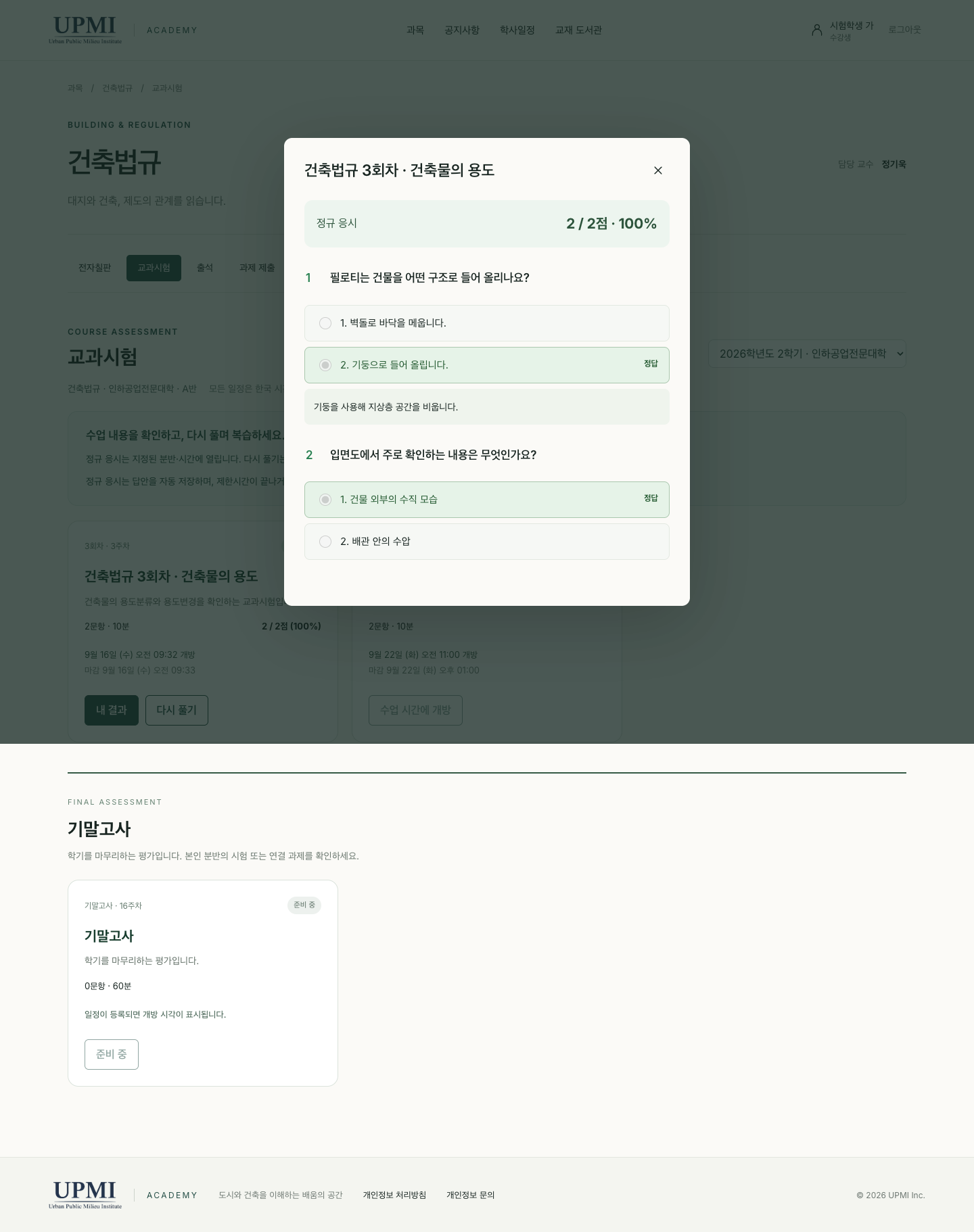
I migrated the questions, grading methods, and result records of quizzes previously operated on a separate server to the Academy. Students open subject-specific exams on the homepage, solve problems, and their submitted answers are automatically graded based on set criteria.
The instructor determines the class section, exam time, and when results are made public. Students can check their own published results, and practice attempts are distinguished from regular exam and attendance records.
I connected it one step further here. Based on the course operation standards I established, I linked regular quiz submissions to attendance for that week and reflected the results in the school portal, as well. I ensured that exceptions like tardiness or excused absence and records manually confirmed by the instructor are not overwritten by automatic processing.
I also adjusted cases where the Academy's quiz weeks and the school's attendance weeks differ due to class cancellations, aligning them with my course schedule. These detailed rules constitute the actual content of personalization.
To avoid having students download files and switch apps every time they want to read materials, I provided an e-book reading screen within the homepage where pages can be turned. Students can open materials appropriate for their enrollment permissions and recheck necessary chapter tables.
The student screen displays watermarks using personal identification information and dates, restricting access to the original file and limiting copying and printing. Instructors view materials without student watermarks so they can focus on lectures.
In the example below, you can identify 'Kim Ha-neul (Demo)', the identifier value, and the date. Watermarks are a mechanism to prevent unauthorized copying and redistribution and to verify the source. I do not describe them as a feature that completely blocks operating system screen captures or camera photography.
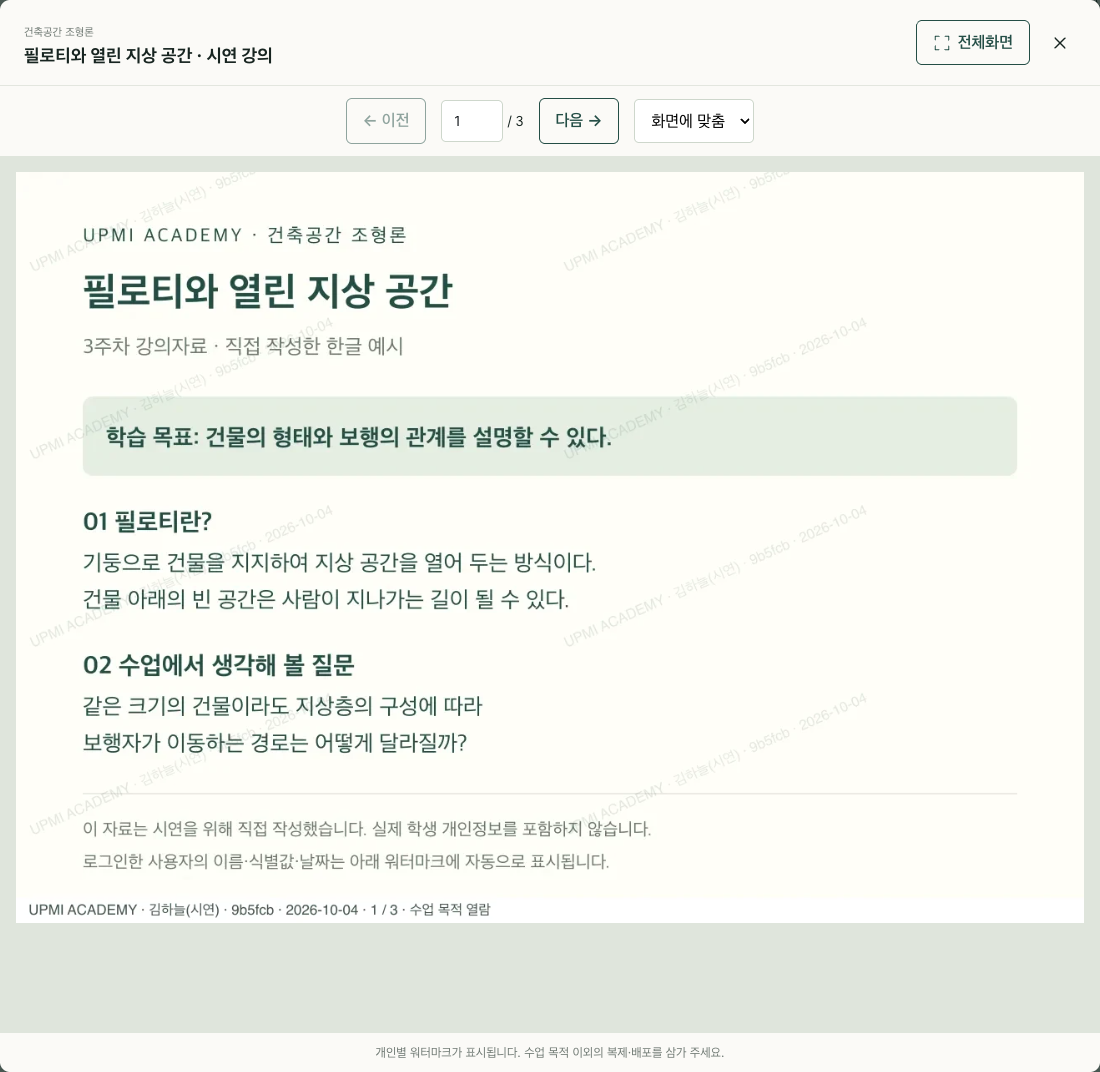
Reader: Kim Ha-neul (Demo) · User Identifier: 9b5fcb · Reading Date: 2026-10-04
This information is not a pre-written phrase in the example lecture material; it is a value displayed by the server recognizing the logged-in exam account.
I did not start development having designed all features from the beginning. I reviewed existing materials and quiz systems, first clarifying what I do in class and what students need to do. GPT Astra assisted in translating those requirements into screens, permissions, data connections, and operational rules.
I did not stop after creating just the feature to upload materials. I actually read them, took notes, turned chapter tables, and submitted them via the exam account to make corrections. I also verified whether students could not change the instructor's notes, whether evaluations from other students were hidden, and whether records could be retrieved again after class.
As small operational conditions accumulated—such as short voice commands, saving blackboard notes, line breaks in foreign language subtitles, and the timing of releasing evaluations, similar to attendance weeks after a cancelled class—it became a system tailored to my teaching.
For speech recognition, I connected the local Whisper model; for translation and Q&A, I connected models suited to their purposes. The role of GPT Astra in building the system is distinct from the roles of the models and programs that process each function during operation.
| Functions | Scattered or newly required tasks | Flow after integration |
|---|---|---|
| Lectures · Blackboard Notes | Prepare material files and explanatory tools separately | Share and save slides and blackboard notes via the homepage |
| Understanding · Review | Re-ask about missed explanations or organize them separately | Supplement with subtitles, translations, AI questions, and summaries for instructor review |
| Assignments | Process submission checks and evaluation tasks separately | Manage submissions, evaluations, and feedback release within the same subject |
| Quizzes · Attendance | Separate quiz server and school attendance screen | Transfer problems and results, and connect submission records with attendance |
| Material Viewing | Manage file distribution and viewing individually | Provide e-books with applied enrollment permissions and watermarks |
The options have expanded from adapting my classes to commercial systems to building systems that fit my classes. With GPT Astra, individual instructors can also build and operate a learning environment that is more comfortable and finely personalized for themselves. UPMI Academy is an example of bringing this possibility into the flow of actual classes.
The change I felt most significantly was not the number of features. It is the ability to explain the thought 'It would be better to teach like this,' write it out directly, and then revise it. The class is designed by me and created with students. AI helps with the actual work of creating the tools needed for that class.
Actual screen: UPMI Academy public homepage and project function verification screen. Student functions were introduced using test accounts and example materials. The representative photorealistic image was generated by AI.
The construction content was compiled based on the academy work session and implementation/verification records. It is not a comparative case that quantitatively verifies performance advantages or learning effects across commercial products as a whole.
UPMI Academy · UPMI Lab · Official Introduction of Samsung Electronic Whiteboard Educational Features