02 / ONE HOME, MANY BRANDS
Different apps. One home.
Lights, cooling and door access each needed a different app. Instead of replacing all the equipment, I connected its existing signals and APIs through my NAS. Apple Home now brings the controls together, with a foundation for coordinated automation.
The problem
Lights, heating, ventilation, cooling and the lock were spread across separate apps. Controlling one home meant switching between manufacturers.
My approach
I kept the installed equipment and used the NAS as a bridge, bringing wallpad packets, Samsung APIs and the kitchen-monitor circuits into Homebridge.
What changed
Apple Home now brings together lights, climate, ventilation, entrance video and door control. Air-quality readings are also connected; compound routine-based automation is the next step.
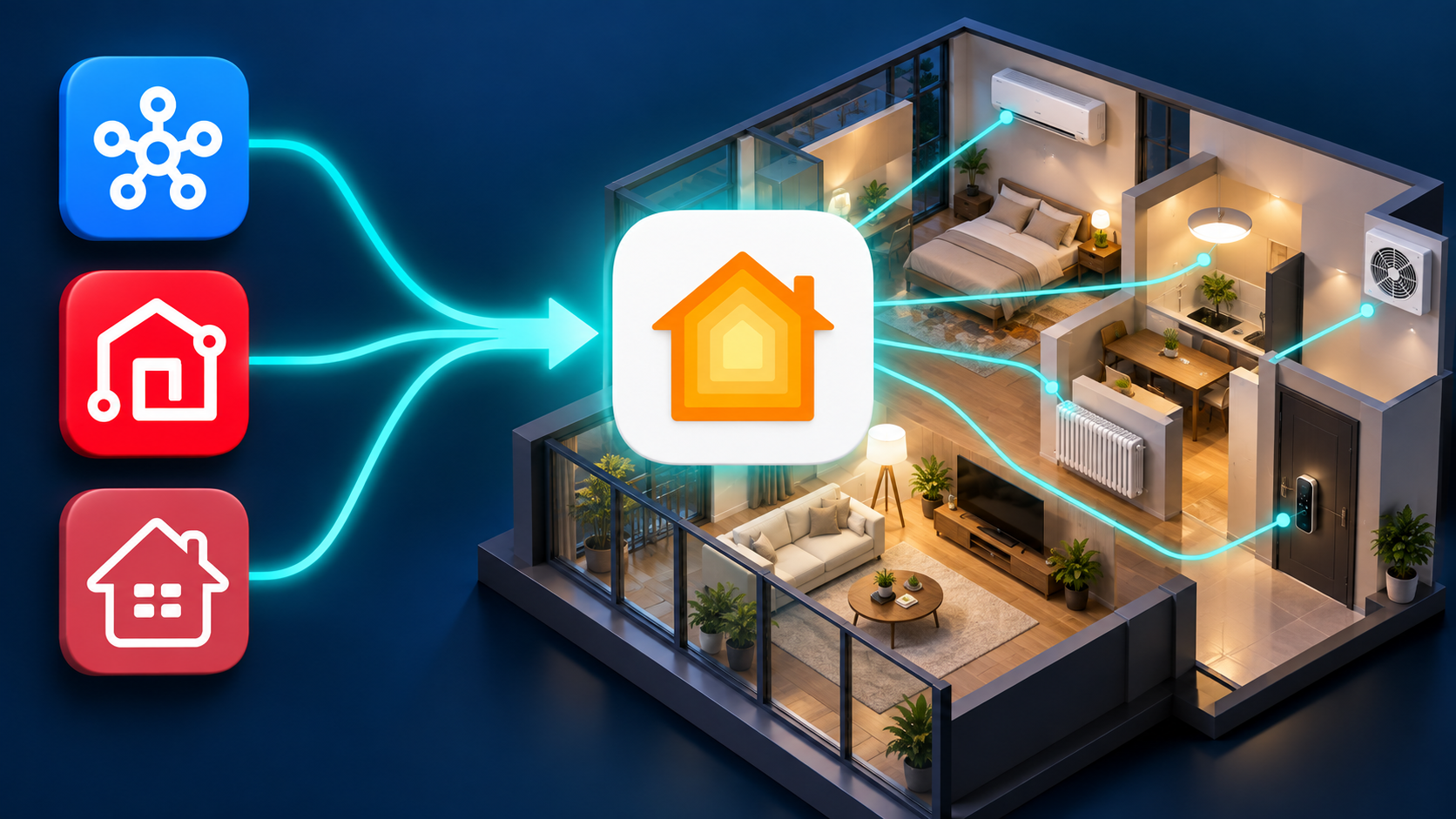
One home. One place to control it.
Separate apps, even for heating and cooling in the same room.
Existing equipment in Apple Home, with room controls in one place.
FROM REQUEST TO RESULT
How I made it work.
- 01
Connect before replacing
I checked how the installed lights, heating, ventilation, AC and entrance devices communicate.
- 02
Find an existing path
I captured wallpad commands and used the kitchen-monitor cable to reach entrance call, control and video paths.
- 03
Translate on the NAS
I connected RS485, SmartThings APIs and video streams to Homebridge, including device-state feedback.
- 04
Control the home together
I use lights, climate, ventilation and entrances in Apple Home. Sensor and routine-based automation is the next layer.
KEEP THE DEVICES. CONNECT THE HOME.
I connected what I already had.
Matter-compatible equipment could simplify a new setup. Replacing the wallpad, climate systems and entrance equipment already installed in my home was a different proposition. I chose to reuse my NAS and add communication adapters and video hardware, limiting how much equipment I had to replace.
The benefit goes beyond fewer apps. Samsung cooling and apartment heating share a tile for each room; lights, ventilation, video and entrance controls are also in Apple Home. I can now organize control around rooms and routines instead of separate manufacturers.
LOOK CLOSER AT THE EVIDENCE
Explore the evidence in detail.
What works now: lights, heating and ventilation, four combined room-climate tiles, entrance video, and unit and shared-entrance controls. I have also connected indoor air-quality readings to HomeKit.
HARDWARE PATHS × SOFTWARE ROLES
Separate the physical paths from the software that translates them.
The NAS is the hub, but each device reaches it differently. Wallpad controls use RS485, Samsung cooling uses a cloud API, and video needs an encoder. Homebridge exposes these separate paths through a common Apple Home interface.
ConnectionWallpad EXTDEV1 → USB-RS485 → NAS
SoftwareRS485 service ↔ Homebridge ↔ Apple Home
ConnectionKitchen-monitor SUB2 control pair → separate USB-RS485 → NAS
SoftwareSUB2 broker → call-state check → Homebridge door control
ConnectionKitchen-monitor video pair → baluns → AHD2NET → LAN → NAS
SoftwareCamera proxy → FFmpeg conversion → Homebridge camera
ConnectionExisting AC ↔ internet ↔ SmartThings cloud
SoftwareOAuth · SmartThings API ↔ combined-climate plugin on the NAS
ConnectionQingping sensor → Bluetooth → Raspberry Pi → NAS
SoftwareSensor collector → air-quality display in HomeKit
The LG Smart Lock is also used in Apple Home. This outline focuses on paths where I analyzed signals or added bridge software.
OBSERVE → COMPARE → REPRODUCE
First, I listened to what the existing buttons were saying.
The documentation did not list every command. I captured traffic while operating the wallpad and compared the values before and after each action. With an AI agent, I refined the capture and analysis code, separated commands from state, and implemented the understood behavior on the NAS.
- Listen firstCapture existing traffic without sending commands. Keep both the idle traffic and the frames around each action.
- Change one thing at a timeSwitch a light or change a heating setpoint, then compare the frames. Separate room identifiers, commands and state responses.
- Repeat and compareRepeat the action and its opposite before treating a changing value as a command. One matching frame is not enough.
- Send, then check the deviceImplement the decoded command and check both physical behavior and returning state. An updated app tile alone is not the result.
ACTUAL TERMINALS. ACTUAL ADAPTER.
It started with these terminals and this adapter.
1B · Blue→ B−
1A · White→ A+
9600 · 8N1General-device bus
I kept the existing lighting, heating and ventilation bus and branched a parallel pair to the NAS. GND is not connected in this installation.
PHOTO-BASED WIRING DIAGRAM
Two circuits. One NAS.
SMARTTHINGS API × HOMEBRIDGE
An older Samsung AC in Apple Home, without Matter.
My existing air conditioner was a SmartThings device without Matter support. I connected the SmartThings developer API to Homebridge on my NAS to bring it into Apple Home.
- 01Existing Samsung AC↔
- 02SmartThings cloud↔
- 03NAS · Homebridge↔
- 04Apple Home
Connect the Samsung account
The NAS plugin authenticates to the SmartThings developer API with OAuth and refreshes its access tokens.
Read state and send commands
API queries bring power, temperature and cooling state into Apple Home. Commands change power, mode and the cooling setpoint.
One tile for cooling and heating
A custom patch combines SmartThings cooling with wallpad RS485 heating, giving four rooms a shared cooling and heating tile.
How does the actual software connect?
The homebridge-smartthings-oauth plugin handles authentication, token refresh and periodic state queries. I added combined-climate code that routes cooling to the SmartThings API and heating to RS485, mapped each room and checked physical on/off and temperature behavior.
Cooling uses the internet and SmartThings cloud. The air conditioner does not become a Matter device; the NAS bridges the two platforms.
THE KITCHEN MONITOR WAS THE CLUE
The kitchen-monitor cable held the entrance connection.
Connecting lights and heating did not give me shared-entrance control. The clue was that the kitchen monitor could already receive calls and open the entrance. Instead of installing another device at the entrance, I branched the signals already carried to that monitor over SUB2.
Control and camera video use separate paths within the cable. A second USB-RS485 adapter brings the control pair to the NAS, while baluns and an encoder turn the video pair into a network stream. The shared-entrance program checks call state before sending the permitted release command.
ANALOG VIDEO → NETWORK VIDEO → APPLE HOME
Entrance video passes through baluns and an encoder.
Video and RS485 control are different signals. I branched the kitchen monitor’s analog video path and connected it to the NAS through baluns and an encoder.
I linked the transition to active video with an Apple Home doorbell event. This is separate from the SUB2 call packets used to authorize a release; detecting video alone does not open the door.
THE HARDWARE BEHIND THE VIDEO
See the actual hardware.
PHOTO-BASED VIDEO CONNECTION
From two video wires to Apple Home.
Link the analog signal
Passive baluns connect BNC video to the twisted-pair cable span. They do not turn the video into a network stream.
Encode network video
Accepts the CVBS NTSC input and sends video over the network. This unit’s verified output is H.265 over HTTP fMP4.
Deliver it to Apple Home
The proxy handles authentication and signal state; FFmpeg converts the stream to H.264 for the Homebridge camera.
During the actual work, swapping the two balun video leads established CVBS NTSC lock and visible frames. Video, power and entrance control are treated as separate paths.
THE SOFTWARE THAT KEEPS IT CONNECTED
I built the software that translates between the devices.
The bridge translates different devices’ commands and state for HomeKit, connecting a tap in the app with a command to the device and returning state updates.
Apple Home → Homebridge → RS485 agent → Wallpad & devices
Power · temperature · fan level → Decode received frames → Update Apple Home
Apple Home → Homebridge → SmartThings API → Samsung AC
Translate app controls
Maps Apple Home switches, temperature and fan controls to device requests, then reflects returning state in the app.
Queue commands, receive state
One NAS process owns the serial interface. It sends requests in order and reads lighting, heating and ventilation state from the wallpad bus.
One room, one tile
Combines Samsung AC with apartment heating, applying a sequence that switches the opposite system off first.
Keep entrance control separate
Tracks call state and checks conditions before sending a release request, using its own serial circuit and settings.
Make video Home-compatible
Handles encoder authentication and input state, converts H.265 to H.264, and handles call endings and missing signals.
Bring sensor readings into the home
Relays Qingping readings from the Pi to the NAS and HomeKit, providing an input for future ventilation automation.
Built for everyday operation
Avoid serial conflicts
A command queue, port lock and USB identification coordinate requests. The program reconnects after a lost connection.
Refresh from device state
Heating responses provide power, current temperature and setpoint for five zones. The key is to reflect the device’s state, rather than assume a sent command succeeded.
A separate entrance path
The shared entrance uses a separate SUB2 RS485 circuit. Call state is checked both when requested and just before the permitted release command is sent.
Handle video interruptions
After a call, the software briefly retains the recent video and can repeat its last frame; this is not a live post-call view. Waiting views and bounded retries handle missing video, while credentials stay out of public URLs.
When adapting this design, check command transmission, received state and physical behavior separately. If the app changes but the device does not, start with the communication logs and state-reception path.
Beyond “turn on the light”: describe how the home should behave.
Unified control is the starting point. Next, I want a local AI model to interpret requests with multiple conditions and turn them into coordinated device rules—a home-scale version of building automation.
“Turn on the living-room lights when it gets dark. In summer, start cooling and ventilation when I park. Keep the room at 28°C while I sleep, but stop cooling when it drops below 28°C outside.”
The model would organize the conditions into saved rules triggered by parking, light levels, sleep routines and outdoor temperature. That goes further than switching several devices on with one voice command.
I want to combine the indoor readings already collected with outdoor pollution data, then coordinate ventilation using both indoor CO₂ and outdoor conditions.
I want finer control of climate and lighting based on occupancy. Any energy benefit will need to be measured alongside comfort.
Device integration and air-quality collection/display are implemented. Compound local-AI requests, parking and outdoor triggers, and autonomous sensor-driven ventilation still need integration. Indoor temperature and humidity must also inform cooling rules.
LOOK CLOSER AT THE EVIDENCE
Explore the evidence in detail.
COULD THIS WORK FOR YOU?
Could this work in your setup?
Could I connect my existing wallpad and AC to Apple Home without replacing them?
BUILD DETAILS
Build details & ideas to reuse
01Why I connected rather than replaced the equipment
I wanted to stop switching apps for every device. Heating and cooling in the same room belonged to separate apartment and Samsung systems.
A new installation could use Matter-compatible products. I instead reused the installed equipment, NAS and communication adapters to limit replacement costs. I have not measured a specific saving.
Apple Home now controls lights, heating, ventilation and Samsung cooling, with entrance video and working unit and shared-entrance controls. Four rooms have combined heating and cooling tiles.
02Hardware and the overall connection
The NAS runs Homebridge. Separate USB-RS485 adapters handle general controls and shared-entrance control. Video uses a pair of passive baluns, BNC connectors and an AHD2NET encoder.
EXTDEV1 carries lighting, heating and ventilation to the NAS. The kitchen monitor’s SUB2 control pair uses a separate adapter, while its video pair reaches the NAS through baluns, an encoder and LAN. Samsung AC connects through the SmartThings cloud API.
To adapt this setup, first identify the wallpad and terminals, whether a kitchen monitor is present, and whether the AC exposes a usable API. Similar connectors can carry different signals.
03How I captured and decoded wallpad traffic
I first listened to the existing bus without transmitting. Then I changed one thing at a time, such as a light or heating setpoint, comparing idle and action traffic to distinguish room identifiers, commands and state.
I repeated actions and their opposites, refining the analysis code with an AI agent. Reproducing a command included checking the physical device and its returning state.
In my installation, EXTDEV1 uses blue 1B to B− and white 1A to A+, at 9600bps, 8N1. I kept the existing bus and added a parallel branch, leaving GND unconnected in this setup. Actual terminal and adapter photos accompany the diagram.
04Connecting a Samsung AC without Matter
My AC is a SmartThings model without Matter support. I connected the SmartThings developer API to Homebridge on the NAS, using OAuth authentication and token refresh, REST state queries and device commands.
I added combined-climate code that sends cooling requests to SmartThings and heating requests to the wallpad RS485 service. One room tile offers both modes, with a sequence that switches the opposite system off first.
This path depends on the internet and SmartThings cloud. Adding a local AI model does not make the AC connection itself offline.
05Finding entrance control in the kitchen-monitor cable
The general-device bus did not provide shared-entrance release. I noticed that the kitchen monitor already receives calls and opens the entrance, then branched its existing SUB2 control pair into a second USB-RS485 adapter on the NAS.
This separate circuit runs at 3840bps, 8E1. The software tracks call state and checks it both when the app requests release and just before transmission, sending only permitted release requests.
Video and door control are separate signals in the SUB2 cable. The public diagram shows the structure without inventing unverified colors or pin numbers. Entrance-access commands and credentials are not published.
06Taking analog entrance video into Apple Home
I branched the kitchen monitor’s analog video pair and carried it through passive baluns over a twisted pair. Baluns adapt the BNC/cable span; the AHD2NET encoder makes the network stream.
This setup uses CVBS NTSC input and H.265 over HTTP fMP4 output. The NAS proxy handles encoder authentication and signal state, and FFmpeg converts the stream to H.264 for Homebridge. I checked the working output instead of assuming a format from the product name.
I linked the transition to active video with an Apple Home doorbell event. Door-release permission is determined separately from SUB2 call packets, not from video detection. I also handled the source disappearing after a call. The software briefly retains the recent call video for a late viewer and can repeat its last frame. This is distinct from a live post-call view. Waiting views and bounded retries handle missing video.
07NAS software: commands, state and recovery
Homebridge receives Apple Home requests. The general RS485 service handles lighting, heating and ventilation; a separate SUB2 broker handles calls and entrance release. The SmartThings plugin and camera proxy each handle their own paths.
Command queues, port locks and USB identification coordinate access to the serial interfaces. Heating-state responses provide power and current and target temperatures for five zones. Reconnection and state reception keep the home display updated.
Stale HomeKit state can make the app disagree with the physical device. I distinguish successful transmission, returned state and physical operation, checking logs and state rather than blindly repeating unacknowledged commands.
08From air-quality readings to coordinated routines
I built a path from the Qingping CGDN1 Bluetooth sensor through a Raspberry Pi to the NAS and HomeKit. Collecting indoor CO₂, temperature, humidity and air-quality readings is separate from using them to control ventilation. Ventilation rules remain in observation mode; sensor-driven autonomous control is the next integration step.
Next, I want a local AI model to turn multi-condition requests into executable rules: lights when dark, cooling and ventilation when I park in summer, 28°C while sleeping, and cooling off when outdoor temperature falls below 28°C. That requires parking, light, sleep and outdoor inputs plus a rule execution layer.
Other goals are to consider outdoor pollution alongside indoor CO₂ and reduce unnecessary lighting and climate control in empty rooms. I plan to tune comfort first and measure energy use. Compound natural-language control and energy savings are not presented as completed results.
Scope and things to consider
This case describes my IMAZU wallpad, Samsung SmartThings AC, NAS and Raspberry Pi setup, using hardware photos, actual Apple Home screens and retained software. Generated wiring diagrams explain the connections; other equipment still needs its own pin and polarity checks. Compound natural-language automation and energy savings are future implementation and measurement goals.