BMW G29 · iDRIVE 7 · Easy Access
Easy Access, inside an iDrive app
Part 2 · Seat controls refined with a red M Sport seat illustration and Korean buttons.
Watch the real video ↓Vehicle record 18 Nov 2026 · Published 19 Nov 2026
IN THE CAR
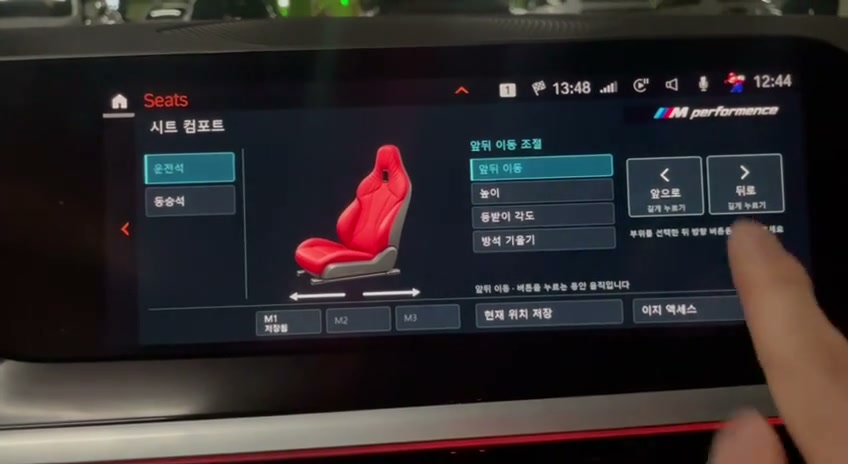
The change in the actual car
Instead of adding a separate OBD module for Easy Access, I connected Seats 1.6.7 and Comfort 0.6.0 on the G29. From APPS, I can select a seat, choose an adjustment and continue into entry and exit settings within the same interface flow.
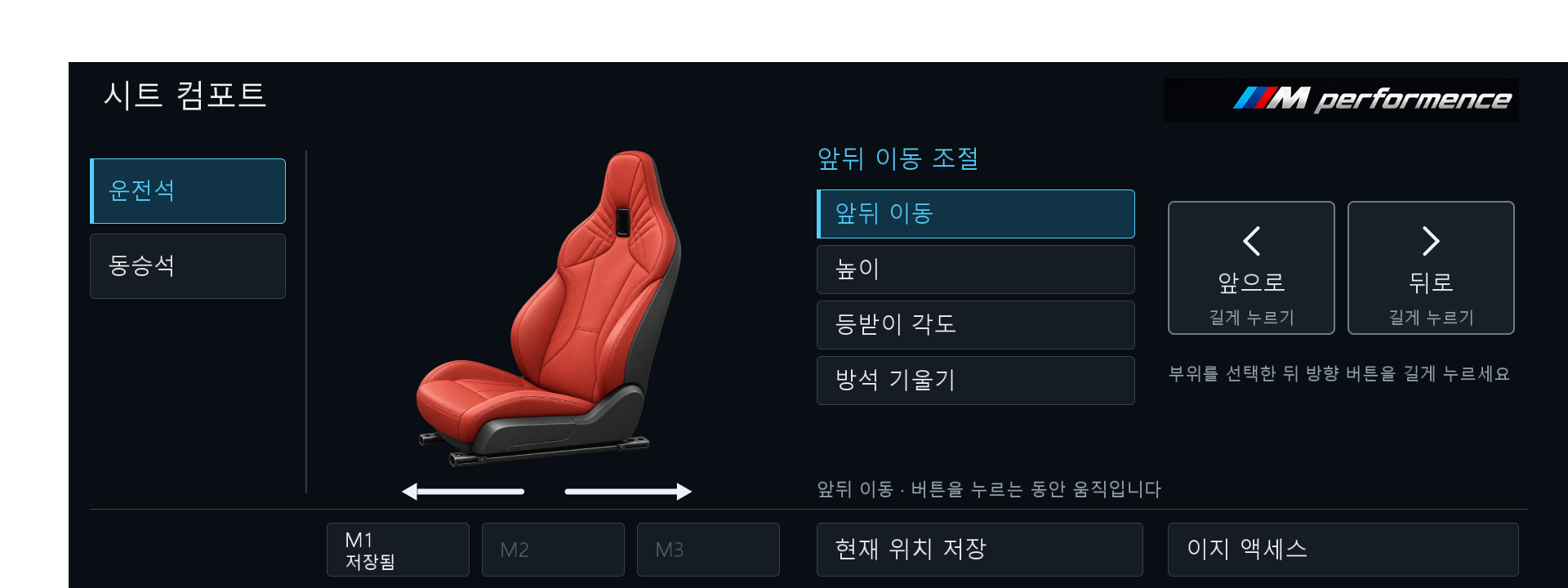
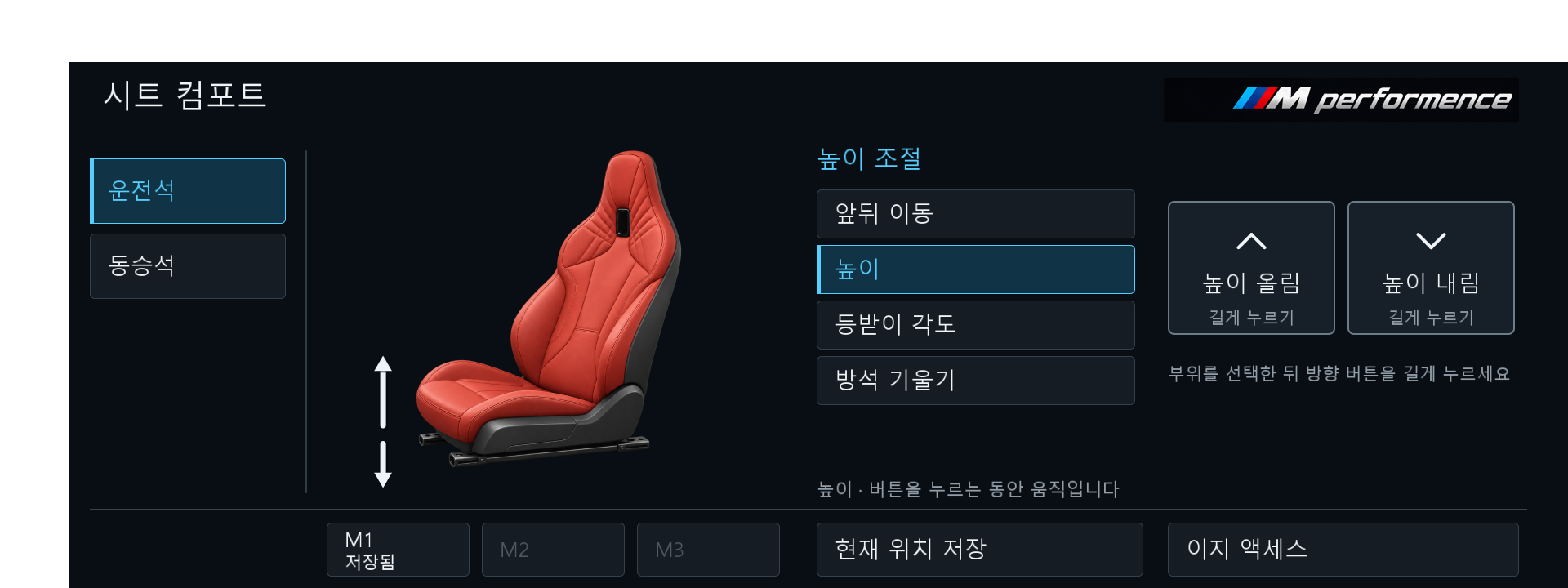
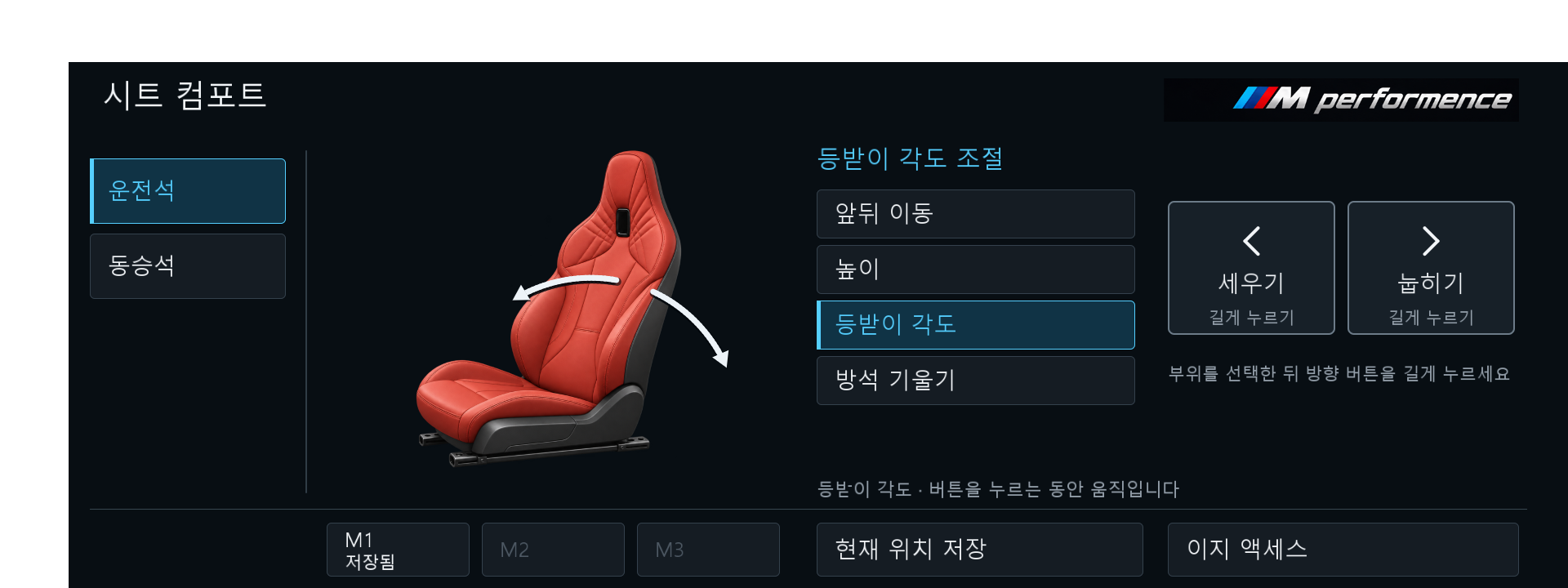
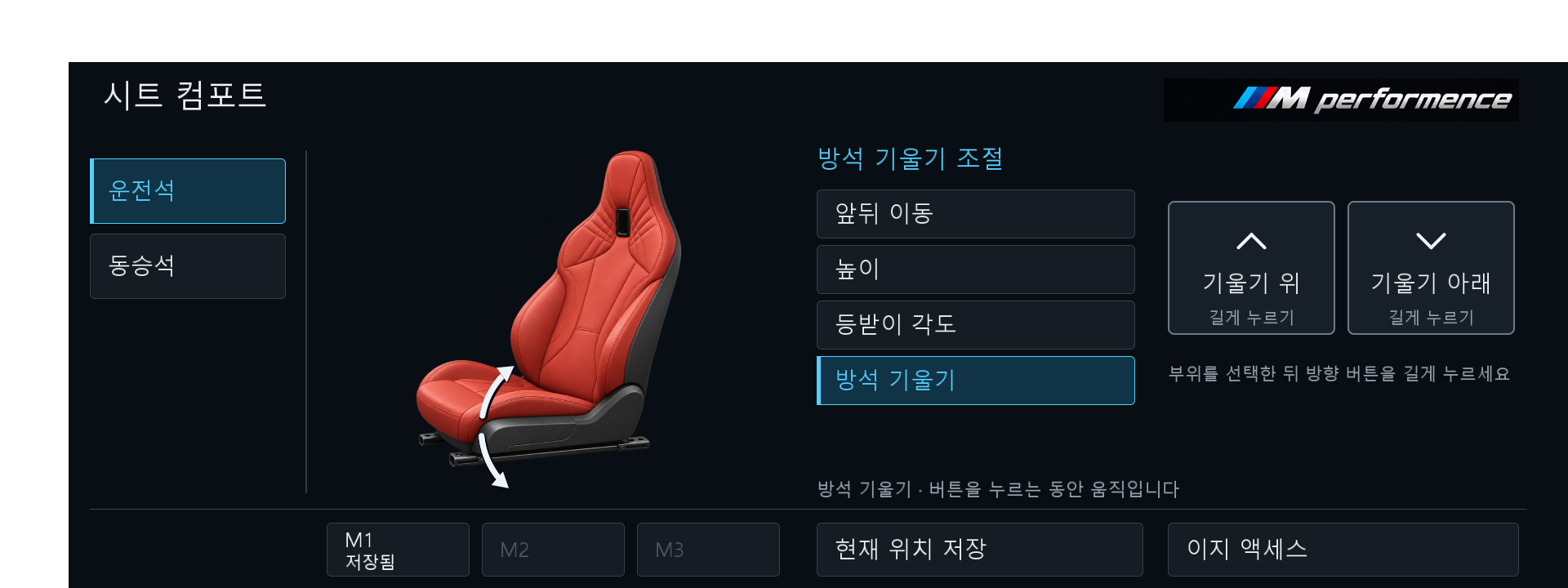
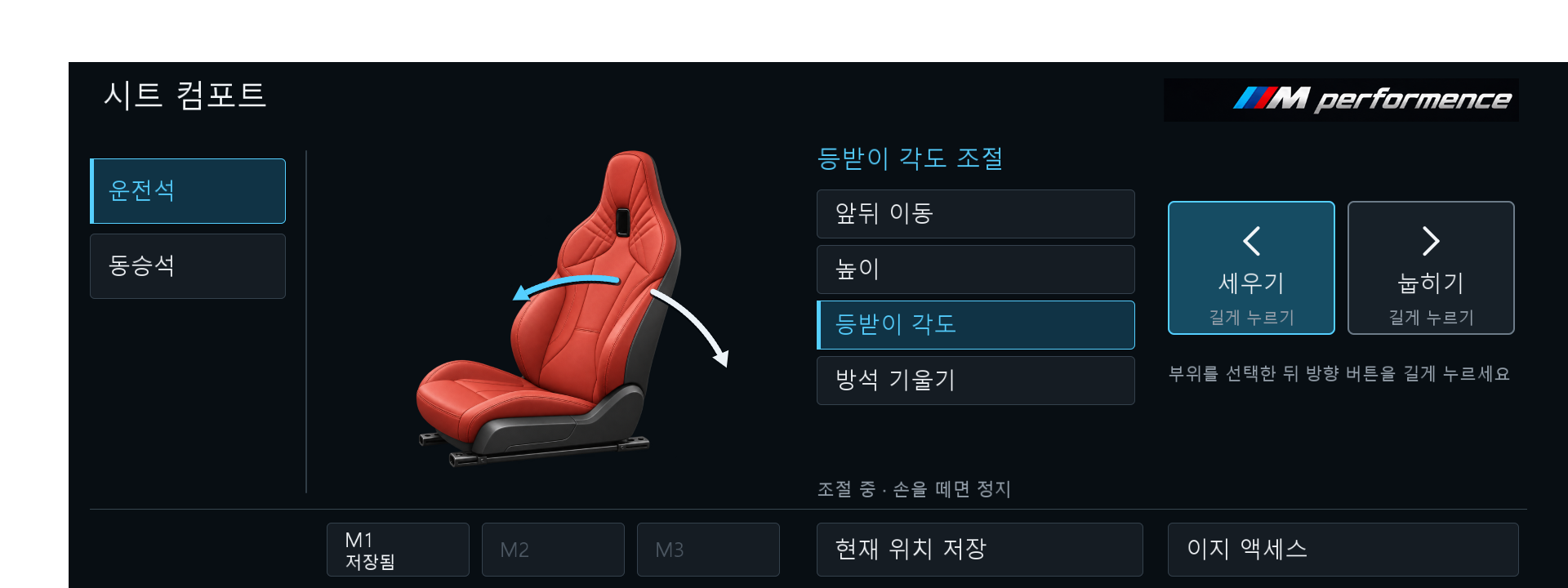
After connecting the functions, I worked on the Korean text and graphics. An illustration resembling my red M Sport seat sits in the centre; the arrows and buttons change together with the selected adjustment.
02 / 01
Show the selected axis in both picture and controls
Seats supplies the seat-selection and adjustment interface; Comfort handles automatic entry and exit movement. The driver or passenger seat can be selected, followed by fore/aft position, height, backrest or cushion tilt. Available adjustments depend on the axes supported by the vehicle.
Fore/aft movement pairs a horizontal arrow with forward/back buttons; height pairs a vertical arrow with up/down controls. Curved arrows describe backrest and cushion rotation. Movement follows a held direction button, rather than touching the seat illustration itself.
02 / 02
Separate input feedback from stored positions
Pressing a button turns the corresponding arrow and button cyan. This indicates input, not a measured real-time seat position. M1–M3 memory controls, Save current position and the Easy Access entry are grouped along the bottom.
These images were saved by the installed app’s renderer; selections and memory indicators are sample states. The seat is an AI-generated illustration based on reference photographs. The graphics expose the design without camera glare, but are not evidence of physical movement.
02 / 03
Two steps: position the seat, then save
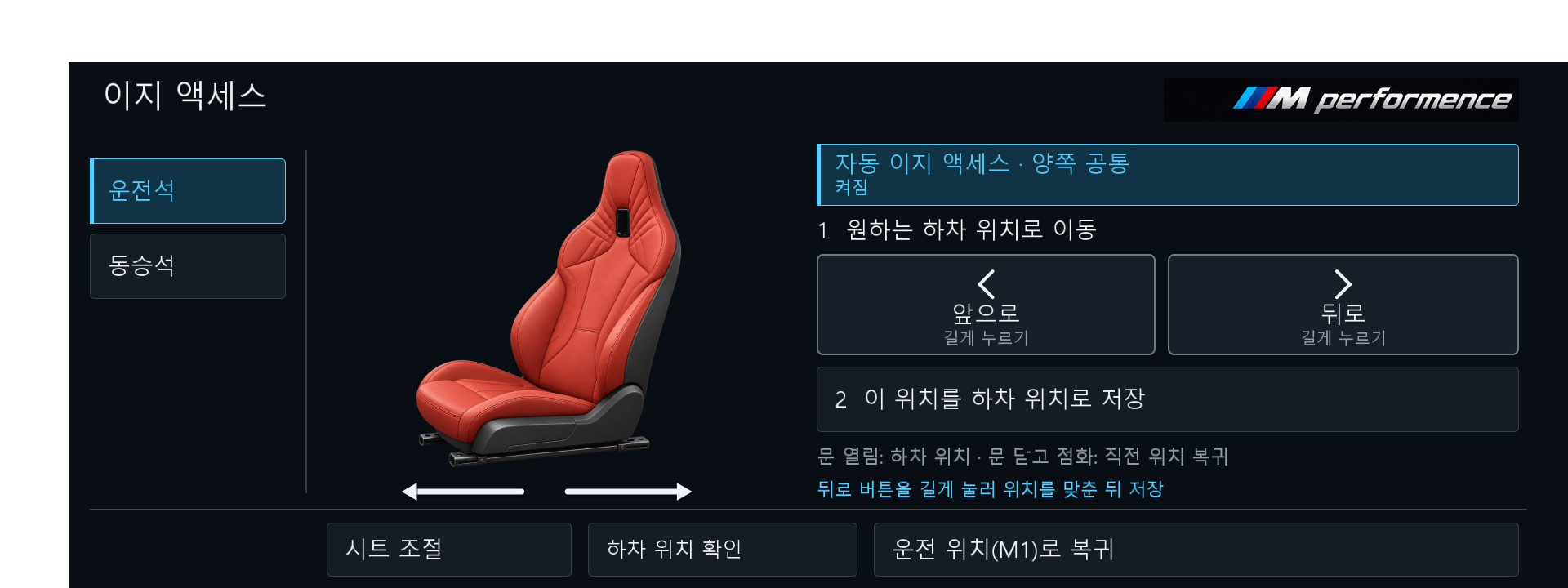
The Easy Access screen first shows automatic-function status and the selected seat. Move to the desired exit position, save it, then use Check exit position or Return to driving position below. This screen focuses on the positioning sequence instead of the four adjustment axes.
The owner confirmed seat controls and automatic exit/return on the vehicle. The video shows opening the app and operating menus, not movement of the seat rail. A further candidate change restricting automatic movement to the rail axis has not been installed.
02 / 04
Make the text and icons readable
Garbled Korean text was corrected by separating a conflicting shared font-atlas name into a dedicated name, followed by an in-car readability check. Icons were given enough space for the selection border. Display changes were checked separately from control changes, with setup and demonstration performed while stationary.