BMW G29 · iDRIVE 7 · Prologue
BMW G Series
ID7, revived
A familiar dashboard takes on a new look. A G29 custom-app series, beginning with TMAP in the original instrument cluster.
Watch the real video ↓Vehicle record 18 Nov 2026 · Published 19 Nov 2026
IN THE CAR
The change in the actual car
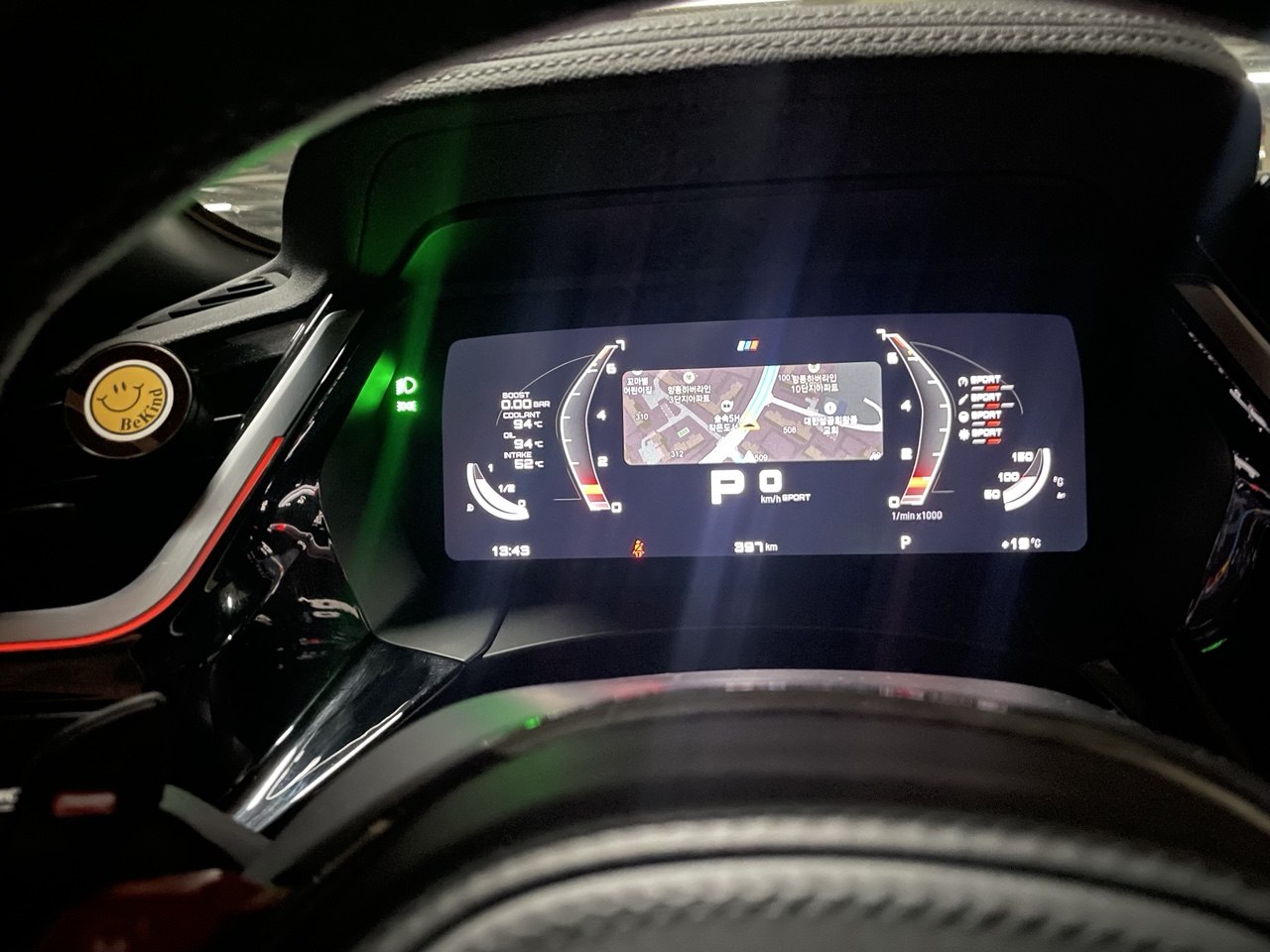
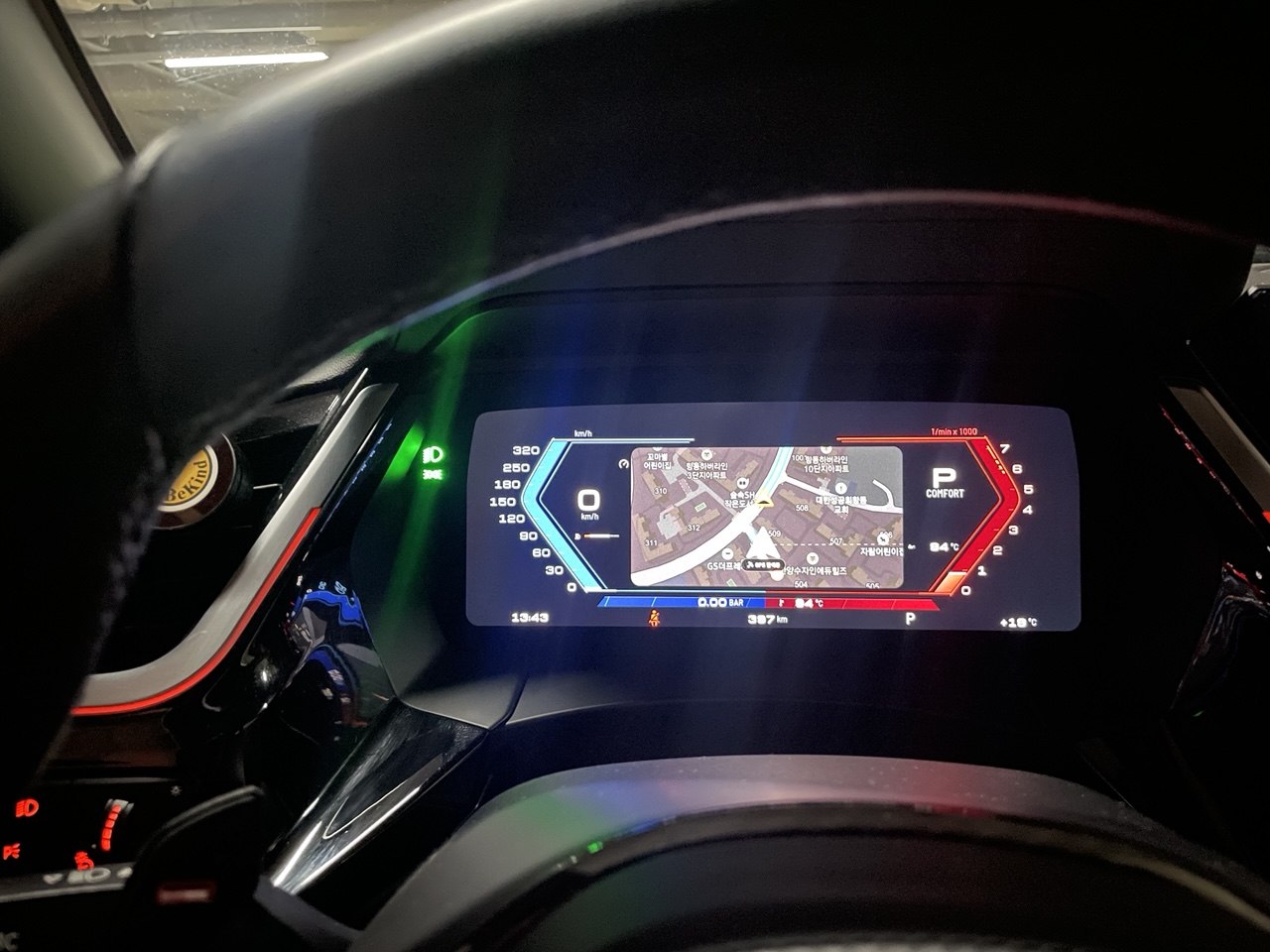
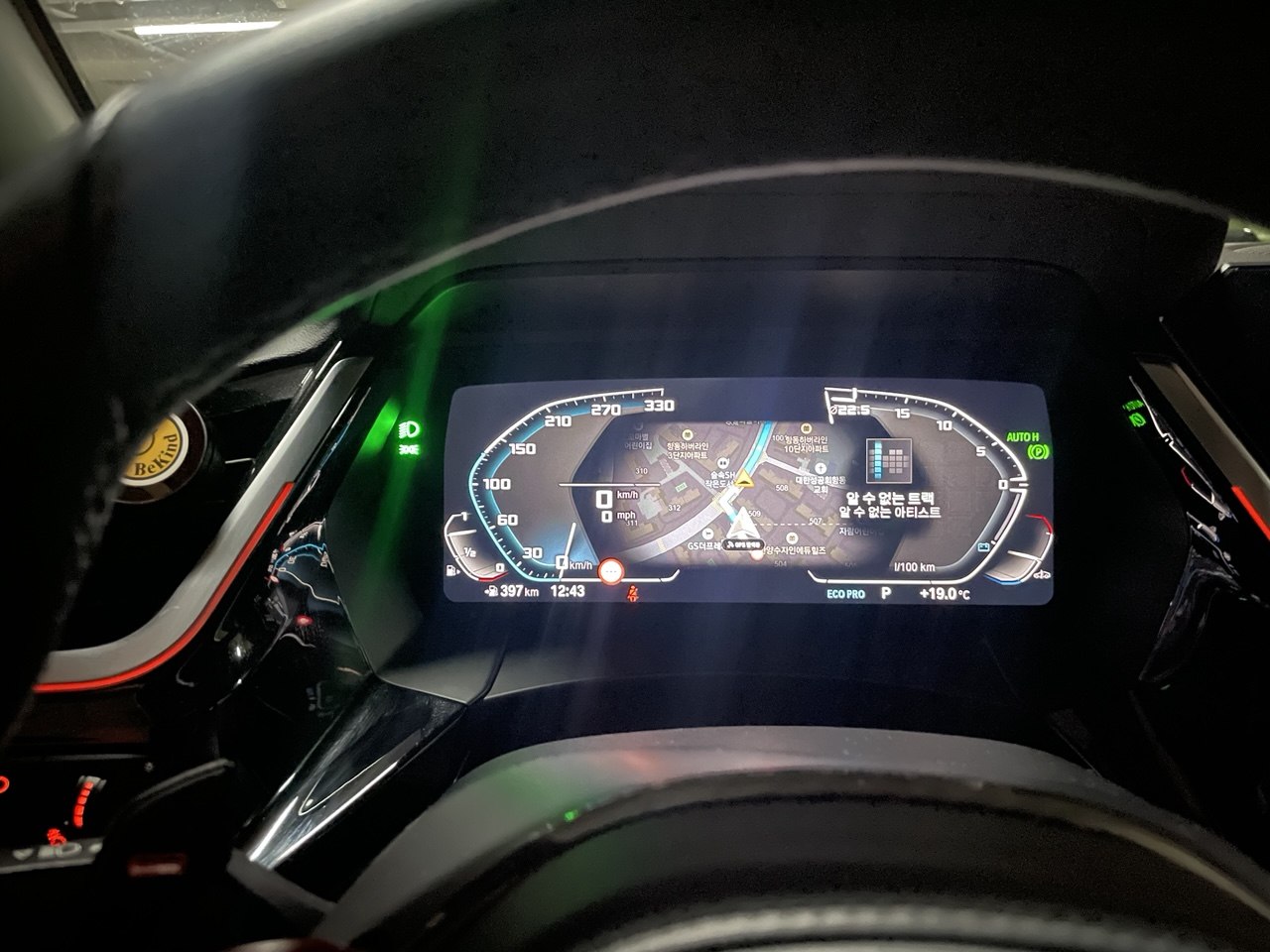
The first change I noticed from the driving seat was the TMAP map in the middle of the instrument cluster. Navigation appeared inside the familiar factory display, while M View and an ID8-style theme gave the same car a different character. I recorded the results on my G29 on 18 November 2026 with photographs and stationary videos.
Behind those screens were MGU access preparation, coding restoration, a seat app, diagnostics and activation of the automatic-heating menu. I adapted Korean text, icons and seat graphics on top of public community projects; I did not develop all of the underlying functions from scratch.
00 / 01
TMAP inside the factory cluster
The video shows a map in the cluster while TMAP is operated on the centre screen. The connection starts with an iPhone and CarPlay. This is not a standalone TMAP installation running on the MGU without a phone, nor is it a map projected onto the windscreen HUD.
00 / 02
Choose a theme, preview it, then apply it
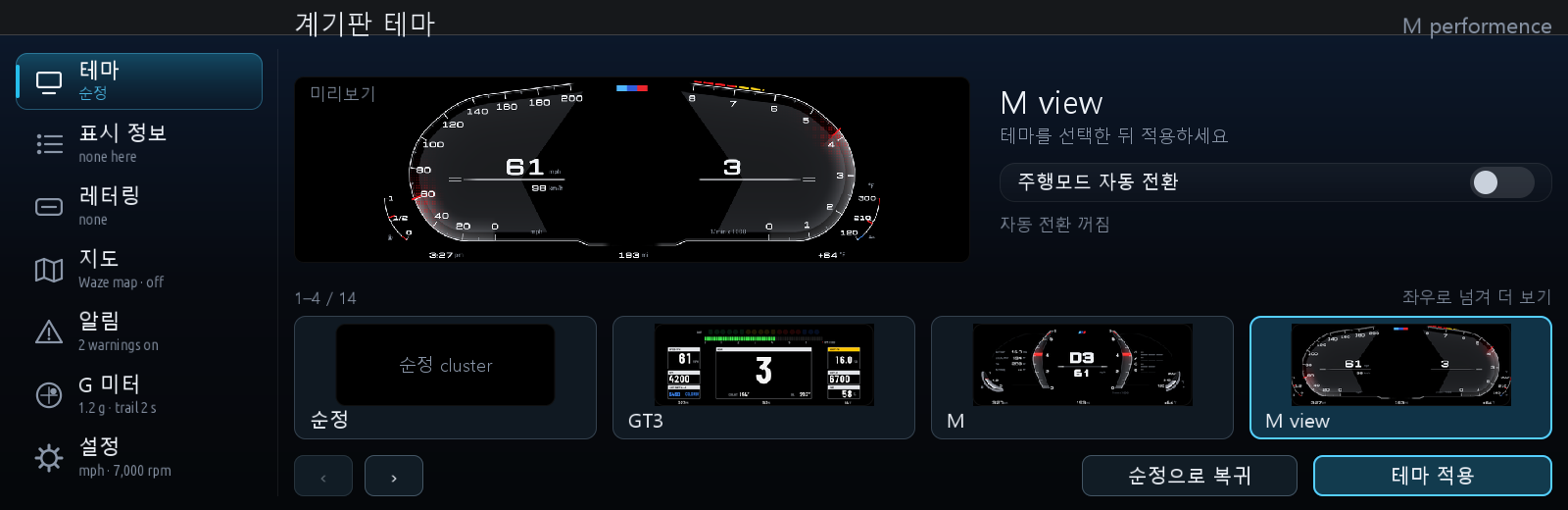
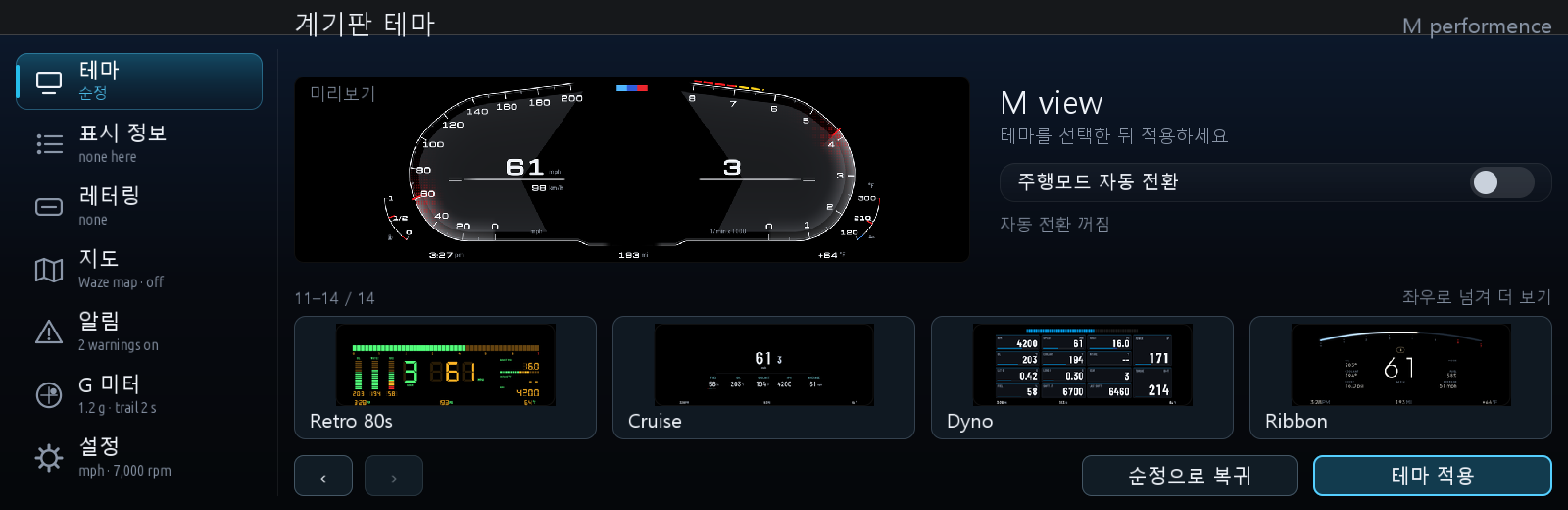
The saved app render places theme, information, map and notification menus on the left, a large preview in the centre and design cards below. A cyan border marks the selection. Apply theme and Restore stock are separate buttons at the bottom right, distinguishing a preview choice from an applied change.
Further cards compare different information layouts: the colours and bars of Retro 80s, the space of Cruise, the measurements of Dyno and the long band of Ribbon. Speeds, revs and switches in these renders are examples, not the current state of the car. I have not road-tested every theme.
00 / 03
A different look with each driving mode
Photographs from the same G29 show M View emphasising a vertical rev counter and driving information, while the ID8-style theme uses blue and red framing. ID8-style describes the design; neither the operating system nor the cluster hardware was replaced.
The SPORT, COMFORT and ECO PRO theme mappings are documented from the owner’s confirmation and the app’s supported features. A continuous video of the mode transitions is not yet available. The automatic-switching Off label in the saved render is a demonstration state, not the vehicle’s actual setting.