BMW G29 · iDRIVE 7 · Diagnostics
Read fault codes on the iDrive screen
Part 3 · Controller codes, clearing and rescanning inside the car.
Watch the real video ↓Vehicle record 18 Nov 2026 · Published 19 Nov 2026
IN THE CAR
The change in the actual car
I wanted to check codes inside the car before reaching for a laptop and ISTA. The installed diagnostics app, version 2.9.11, displays responding controllers, stored codes, status and Check Control messages.
The route to the information is shorter, but clearing a code is not a repair. I kept the convenience of the interface separate from the meaning of the diagnostic results.
03 / 01
Read the controller and status, not just the count
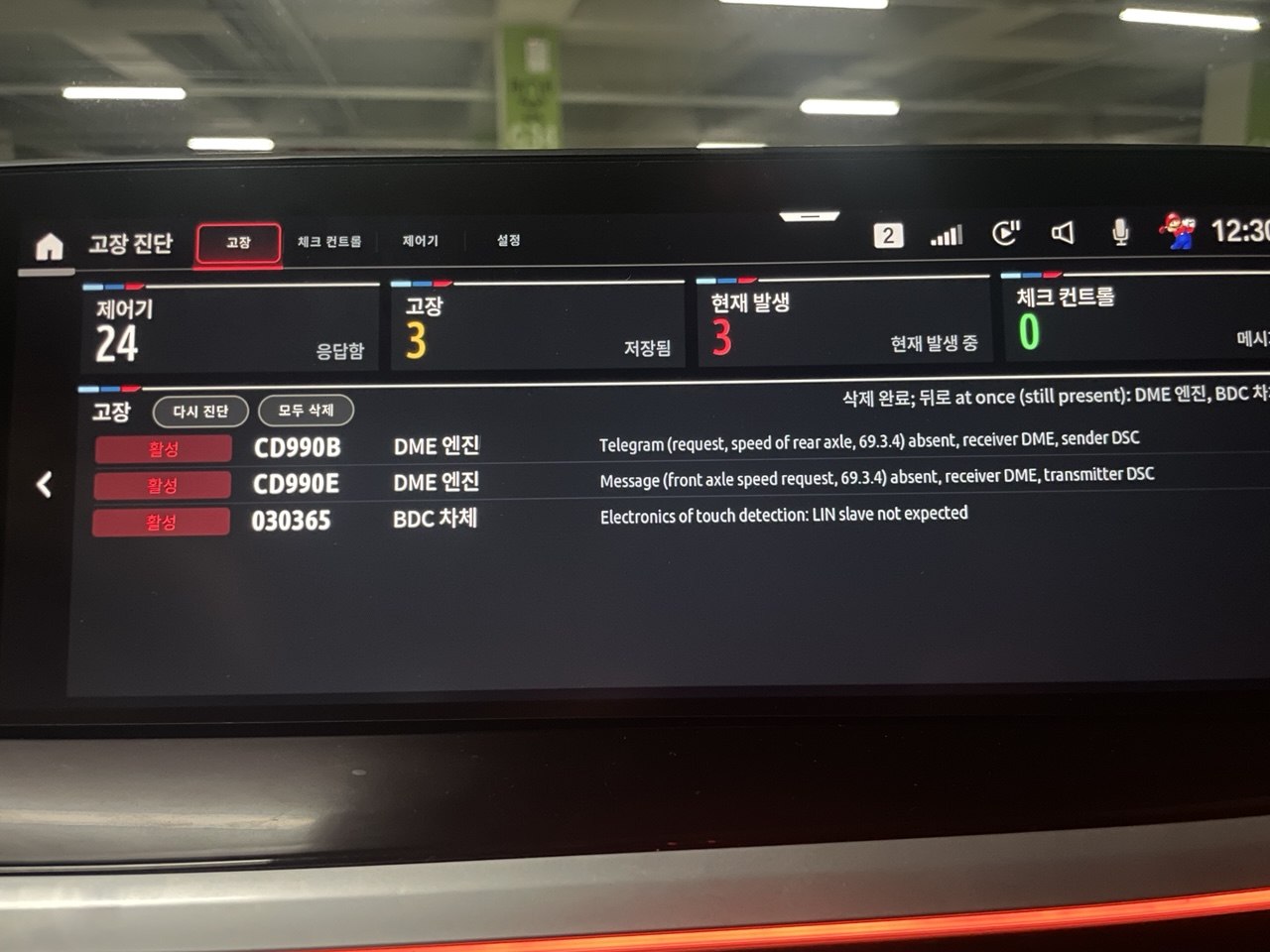
Controller names, code descriptions and status help identify what needs further investigation. A new scan reads the responses available at that time. Stored codes may combine historical entries and active conditions, so a total is not a count of current faults. There is also no basis for attributing every code to installing the app.
03 / 02
An icon that identifies diagnostics
An engine and magnifying glass distinguish diagnostics from seats, maps and themes. The dark background, blue outline and space for a selection border match the other apps. This launch icon is the independent graphic available in the archive; actual result screens are shown in vehicle photographs and video.

03 / 03
Record before clearing; read again after action
Keeping the code, controller and status before Clear all helps later investigation reconstruct the conditions. The photograph shows active codes remaining after a clear operation. Persistent or returning items need further investigation of the vehicle and their causes.
The photographs and video were taken at different times. They are not a controlled before-and-after test, so differences in code counts are not reported as an improvement rate. The app makes routine reading and rescanning more accessible; it does not replace all of ISTA’s service procedures, test plans or programming.