05 / NAS MAIL
A mail server I can maintain after installation.
Keeping domains, certificates and mail delivery aligned was harder than installing the server. I worked with an agent over SSH to configure the NAS and build a routine for certificate updates, real delivery tests and recovery.
The problem
The new NAS needed the existing settings and mailboxes, plus a working renewal path.
My approach
I restored settings and mailboxes separately and connected certificate validation, deployment and rollback.
What changed
I checked mail in both directions with Gmail and retained checks of the certificate served by SMTP and IMAP.
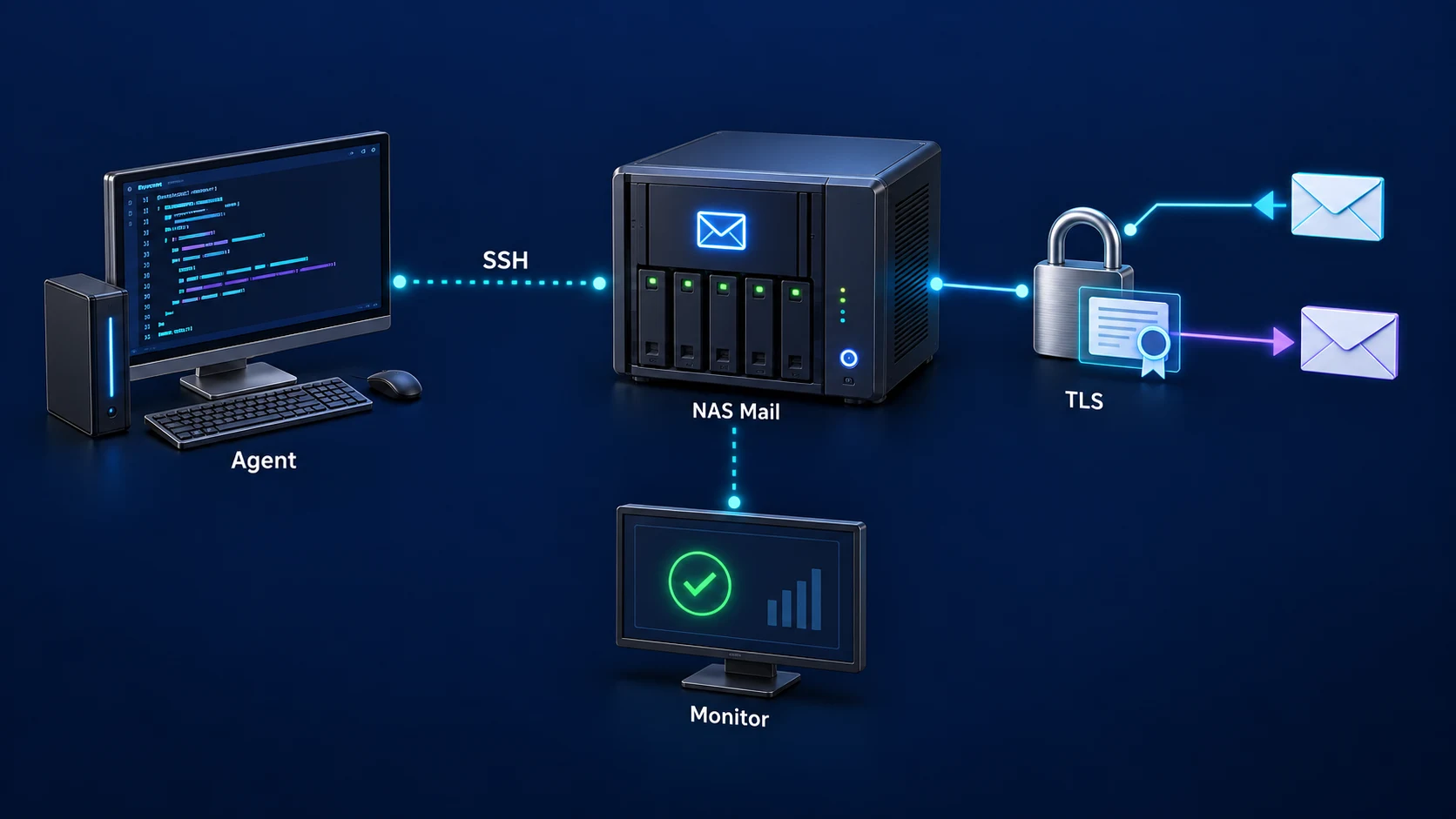
Setup · Certificates · Delivery checks
Handle certificate and delivery problems separately after setup.
Connect deployment, renewal, delivery tests and recovery into one routine.
FROM REQUEST TO RESULT
How I made it work.
- 01
Map the dependencies
I mapped the links between the domain, DNS, mail service and certificates.
- 02
Configure over SSH
I inspected NAS settings with the agent and scripted the work that needed to be repeated.
- 03
Test real messages
I checked outgoing and incoming delivery and certificate use, not just whether the service started.
- 04
Prepare renewal and recovery
I kept the certificate deployment path and a troubleshooting sequence for failed updates.
COULD THIS WORK FOR YOU?
Could this work in your setup?
What needs ongoing care after installing a NAS mail server?
BUILD DETAILS
Build details & ideas to reuse
01Preserve settings and mailboxes separately
Installing the package alone would not preserve the existing mail setup. I used Hyper Backup for MailPlus settings and separate synchronization for mailboxes, comparing 2,037 files, 185 folders and four links across both NAS units.
02Send real mail after the restore
I used Codex with DSM and SSH to connect the package, mailbox and service configuration. After cutover, I checked delivery from the NAS to Gmail and storage of a Gmail message in the MailPlus inbox. Those two directions mattered more than a running-service indicator.
03Connect renewal to deployment
I connected Certbot renewal on the Mac to SSH delivery on the NAS. Before installation, the script checks the domain, validity and certificate/key match and creates a backup. Issuing a certificate and deploying it to the mail services became one workflow.
04Check the certificate clients actually receive
The deployment checks that SMTP and IMAP actually present the new certificate. It restores the previous one on failure and retains three recent backups. Copying a certificate file alone is not the completion check.
05What I still need to keep running
Operations follow Codex/Mac → SSH → NAS MailPlus; renewal follows Certbot → validation/backup → Postfix/Dovecot → TLS checks. I still need to maintain the Mac environment that runs renewal. This is configuration assistance, not an arrangement for AI to read all my mail.
Scope and things to consider
I describe the MailPlus move, two-way delivery checks and retained certificate-deployment scripts, including their dependence on the Mac runtime.